
How do I add a cover photo? Can I use my own photo?
Yes! You can absolutely use your own photo on the front cover.
SimplePrints updated the cover design experience, but adding your own image works just like before!
We've included step-by-step instructions below.
-
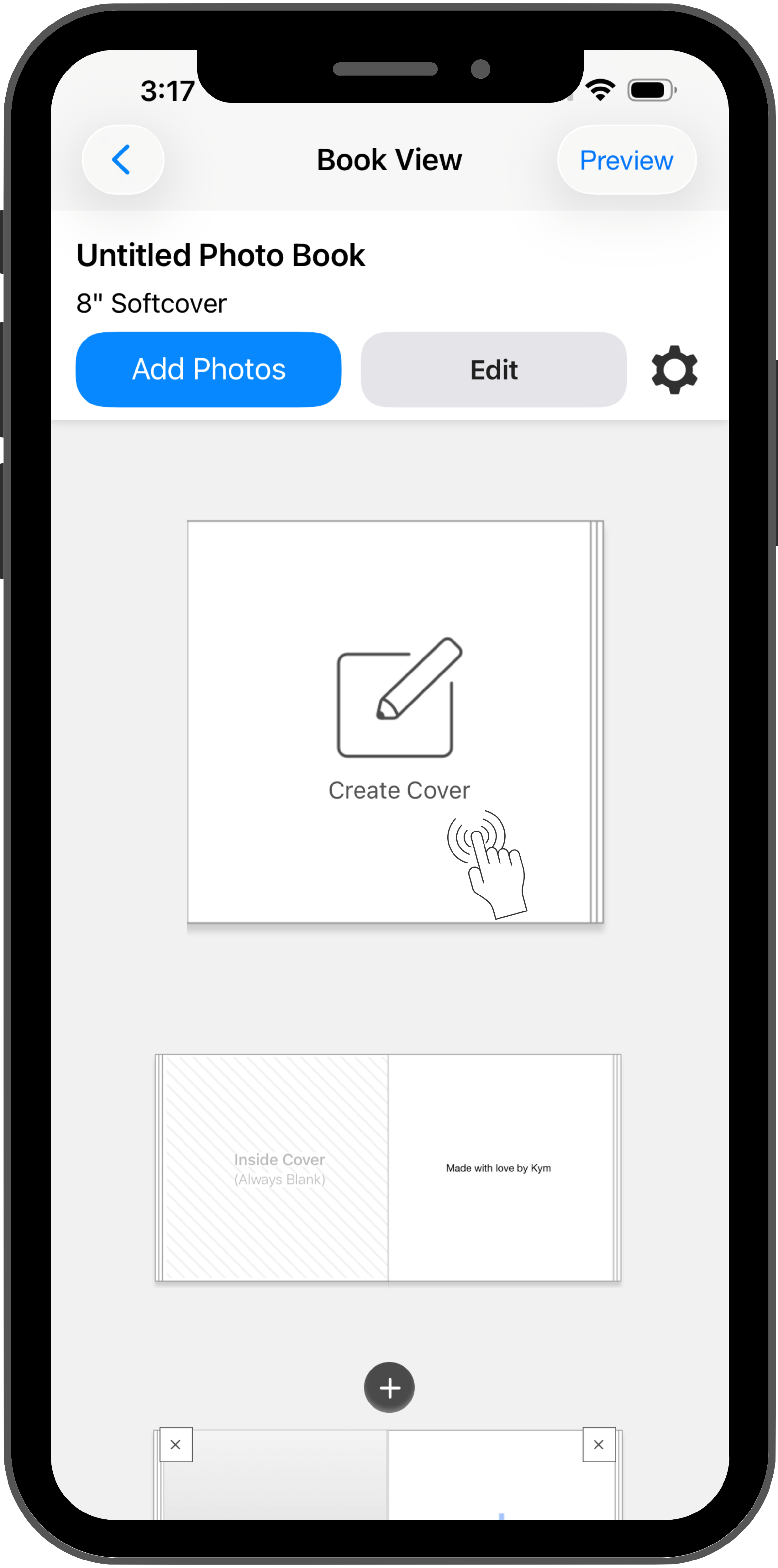
Tap Create Cover on the cover page, or if an image is already there, tap it to open the cover editor.
-
Tap Layout at the bottom of the screen.
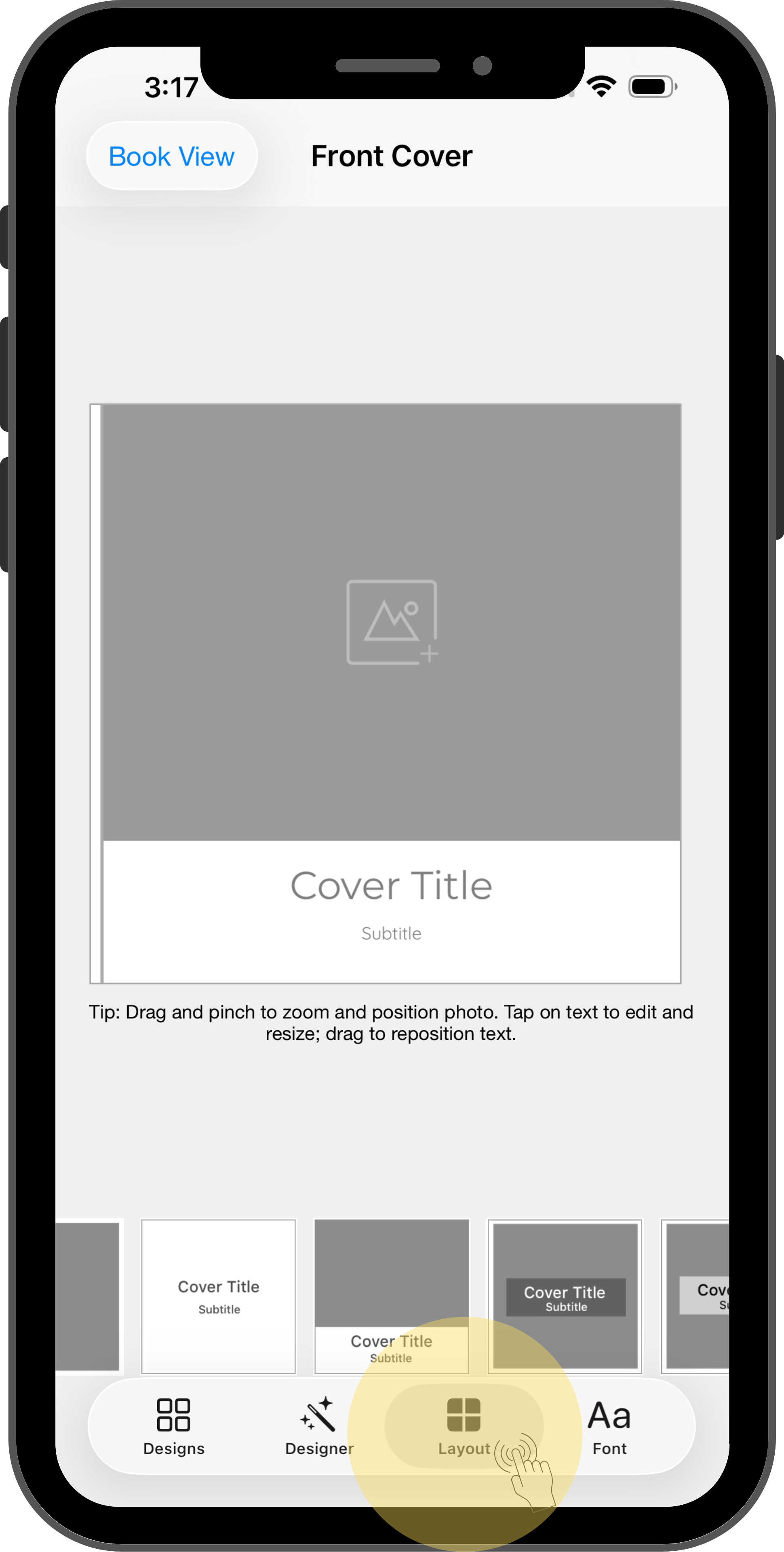
- Scroll through the available layouts at the bottom of the screen and tap the layout that fits your book.
- Tap on the photo icon and add your photo & cover text (if applicable) as usual.