
[Web] How do I edit my project after purchase?
IMPORTANT: Please only follow these instructions if you have received a recommendation or authorization from the SimplePrints support team to edit your purchased item.
Edits made without authorization will not be included in your printed order.
Requests to change or edit an order may be sent to hello@simpleprints.com within 2 hours after purchase.
To edit your item after purchase,
- Return to SimplePrints Web
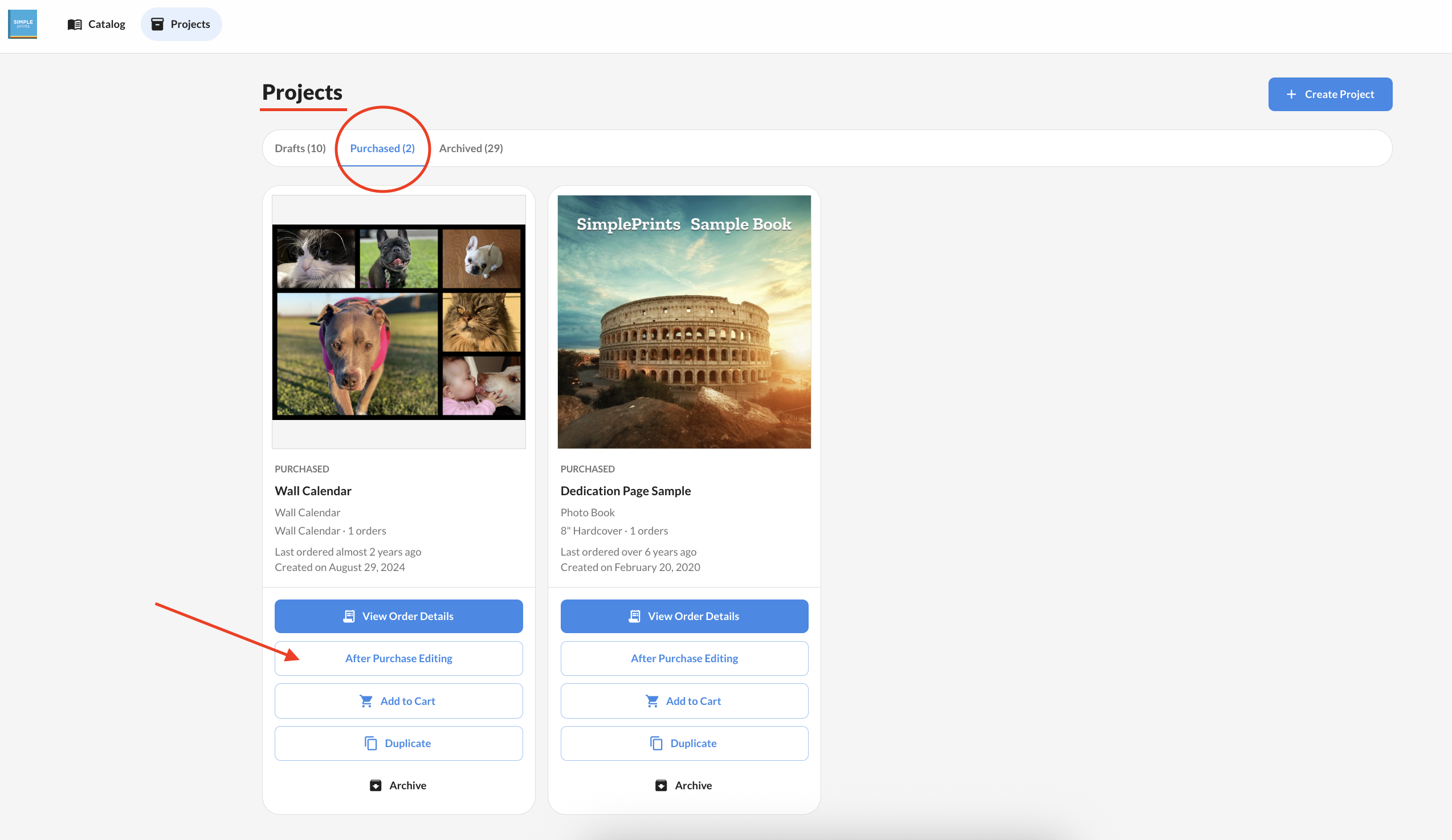
- Click on
Projects - Toggle over to Purchased, and locate your project.
- Please note: If your project has been archived, please follow the instructions here to restore it before editing.
- Click the After Purchase Editing button.
- Clicking this link will bring up a dialog asking you to confirm that you have contacted our support team. If you have not already done so, please contact SimplePrints support before making any changes.
Important: Do not duplicate your project to make edits after purchase. This will not successfully change your purchased item, and your printed project will be incorrect.
- To proceed with your edits, click
Yes, I contacted. - Complete any necessary changes and click
Previewin the upper right corner once you are done. - Review the preview to ensure your edits have been saved
- Reply to our email or send us a new email at hello@simpleprints.com confirming your project is updated and ready to print.